
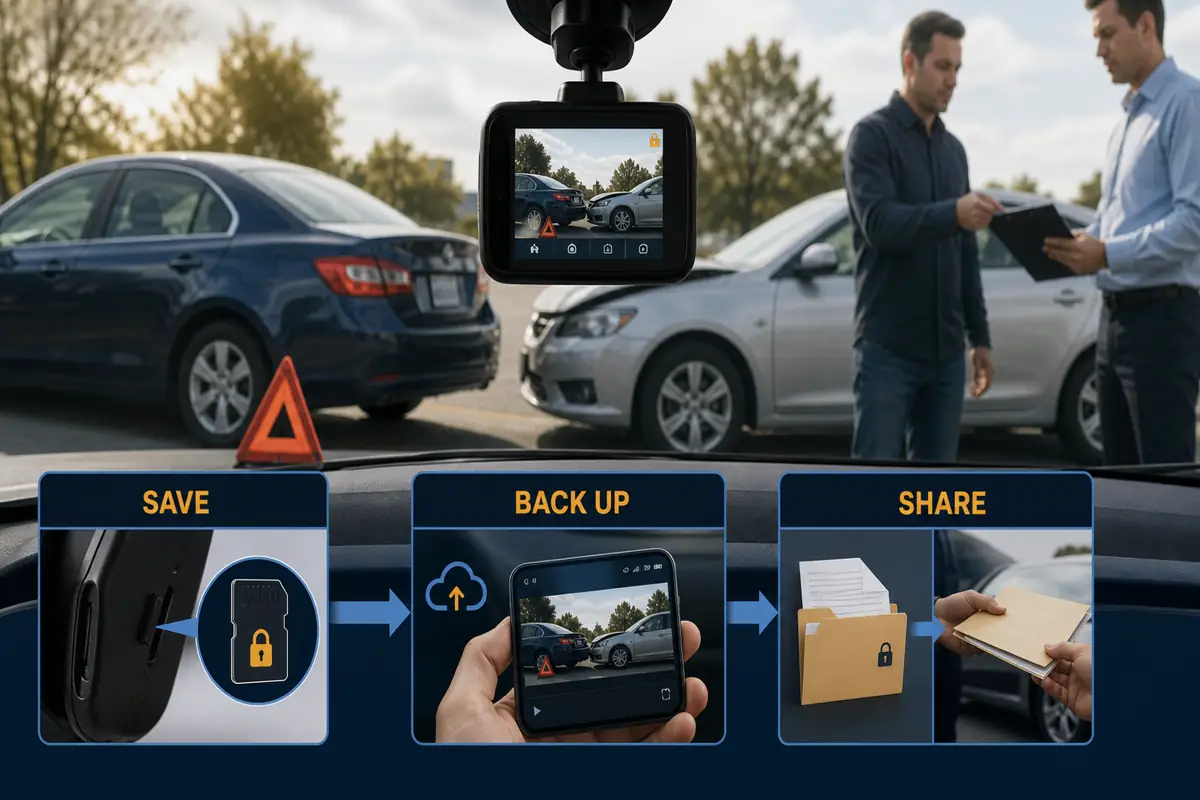
Your dashcam can record the truth, but the recording only helps if it exists, can be found and is preserved correctly. A DashcamCraft Emergency Evidence Kit combines a dependable camera, a compatible spare high-endurance memory card, a card reader, an evidence envelope and a short crash checklist. It gives you a calm, repeatable way to protect footage and document the scene without guessing under pressure.
Important: Safety and emergency care come first. This guide provides practical evidence-preservation information, not legal or insurance advice. Requirements and claim procedures vary. Follow instructions from police, your insurer and your attorney when applicable. Dashcam footage may help clarify events, but it does not guarantee a particular liability or claim decision.
Jump to a section
- What is a dashcam emergency evidence kit?
- What should I do in the first ten minutes?
- How do I preserve the video correctly?
- What belongs in the physical kit?
- Which copy should I send?
- What should I tell the insurer or police?
- Which camera and storage setup should I choose?
- Which DashcamCraft calculators can help?
- Frequently asked questions
Crash just happened?
Do not troubleshoot the camera while driving or while standing in an unsafe location. Move to safety if possible, call emergency services when needed, and then use our step-by-step guide: What to Do With Dash Cam Footage After an Accident.
What is a dashcam emergency evidence kit?
A dashcam emergency evidence kit is a small set of physical tools plus a written workflow for protecting video after a collision, road-rage incident, parking impact or near miss. It is not simply a camera in the windshield.
The camera captures the event. The kit helps you preserve the file, identify it, make a working copy, document supporting details and put the camera back into service without erasing the only original recording.
This matters because most dashcams use loop recording. When the card fills, the camera normally overwrites older, unlocked files. VIOFO cameras can protect an event automatically through the G-sensor or manually with the camera’s lock button or a compatible Bluetooth remote. Even so, drivers should confirm that the expected file exists and copy it as soon as it is safe to do so.
The strongest practical record is rarely one clip in isolation. It may include the dashcam files before, during and after the event; wide and close photographs; contact and insurance details; witness information; the police report number; and brief factual notes written while the sequence is fresh.
What should I do in the first ten minutes after a crash?
Use this order. Do not let the camera distract you from injuries, traffic or instructions from first responders.
- Protect people first. Stop, check for injuries and call 911 when there are injuries, danger, a hit-and-run, suspected impairment or another situation requiring emergency assistance.
- Move out of immediate danger when possible. Follow police instructions and do not stand in active traffic to take photographs.
- Lock the event file if you can do so safely. On supported VIOFO models, press the yellow emergency/triangle button or a configured remote button. Listen or look for the camera’s confirmation that the video was protected.
- Do not keep driving for hours on the same card. Locked-file behavior and storage limits vary. Preserve the relevant files promptly rather than assuming they can never be overwritten.
- Photograph the scene. Capture wide views, lane positions, traffic signs or signals, skid or debris areas, every vehicle and close views of damage. Do not interfere with responders.
- Exchange required details. Record names, contact information, insurer and policy information, vehicle descriptions and plate numbers as permitted or required.
- Ask witnesses for contact information. Do not coach them. A neutral witness may add context the camera cannot see.
- Write down the basics. Note the time, exact location, direction of travel, weather, road conditions, police agency and report or incident number.
- Preserve the card and files. When you are in a safe location, power the camera down before removing the card. Use the spare card to return the camera to service.
- Notify the appropriate insurer promptly. Say that dashcam footage exists and ask for the carrier’s preferred upload method. Keep what you submit and note when it was sent.
Do not argue about the recording at the roadside.
Focus on safety and an accurate exchange of information. Do not edit, threaten to publish or use the video to pressure another person. Share preserved evidence through appropriate police, insurer or legal channels.
How do I preserve dashcam footage correctly?
The goal is simple: protect the source, create redundant copies and avoid changing the only original.
1. Confirm the relevant recording window
Look for footage that begins several minutes before the event and continues several minutes after it. The lead-in may show speed, lane position, traffic signals or the other vehicle’s approach. The period after the impact may capture vehicle positions, statements or a plate number.
If your system has front, rear and cabin channels, preserve the matching time window from every channel. Do not assume the most dramatic camera angle is the only useful one.
2. Stop the original card from cycling
After you reach a safe place, switch the camera off in accordance with its manual. Remove the incident card and put it in a labeled evidence envelope. Install the compatible spare card so the dashcam can continue recording.
Label the envelope with:
- date and approximate time;
- location;
- vehicle identifier;
- camera model;
- your name or initials; and
- the date and time the card was removed.
Do not format the incident card, record new footage on it or use recovery software on the original unless a qualified professional advises you to do so.
3. Make two copies
Use a compatible card reader and a trusted computer. Copy the complete relevant files without renaming or editing them. Keep one master digital copy in a protected location and one backup on separate storage or in a reputable cloud account.
Open the copied files to verify that they play from beginning to end, that all camera channels are present and that the time window is correct. Verification is not the same as editing.
4. Keep a simple evidence log
A one-page log can record:
- original filenames and file sizes;
- date and time copied;
- device or folder where each copy is stored;
- the person who made the copy;
- the claim or police report number when available; and
- when, how and to whom a copy was submitted.
For a routine insurance claim, this may be more detail than the carrier requests, but it reduces confusion and helps distinguish the untouched files from review or upload copies.
5. Do not alter the master
If an upload system requires a shorter file, different format or smaller size, retain the original and the master copy unchanged. Create the trimmed or compressed version from a duplicate. Disclose that it is a derived copy, and be ready to provide the complete recording through an accepted method.
Estimate how long your footage remains on the card.
Camera resolution, bitrate, channel count and driving hours all affect retention. Use the Dash Cam Storage Calculator before choosing a card.
What belongs in the physical Emergency Evidence Kit?
Keep the kit together in a small labeled pouch. Store it where it is accessible after a crash but will not become a loose projectile.
| Kit item | Why it matters | When to use it | Check or replacement cadence |
|---|---|---|---|
| Compatible spare high-endurance microSD card | Lets the camera resume recording while the incident card is preserved | After safely powering down and removing the incident card | Test periodically; replace when errors, failed writes or the manufacturer’s service guidance indicate |
| USB/USB-C card reader | Makes a direct computer copy possible | At home, work or another safe location | Test with your actual phone or computer before relying on it |
| Two small evidence envelopes | Protects and identifies a removed card | Immediately after removing the card | Replace when used, damaged or damp |
| Fine permanent marker | Labels the evidence envelope clearly | When sealing the incident card | Replace when dry |
| Printed one-page crash checklist | Gives you an order of operations under stress | At the scene when safe | Review after changing vehicle, camera or insurer |
| Pen and waterproof note card | Captures time, location, witness and report details | At the scene or immediately afterward | Check every six months |
| Phone charging cable and compact power bank | Keeps communication and scene-photo capability available | When the phone battery is low | Recharge monthly and follow battery-storage guidance |
| Clean microfiber lens cloth | Helps maintain a usable view before an incident occurs | Routine maintenance only—not during an active road incident | Wash or replace when dirty |
The card is not an ordinary accessory
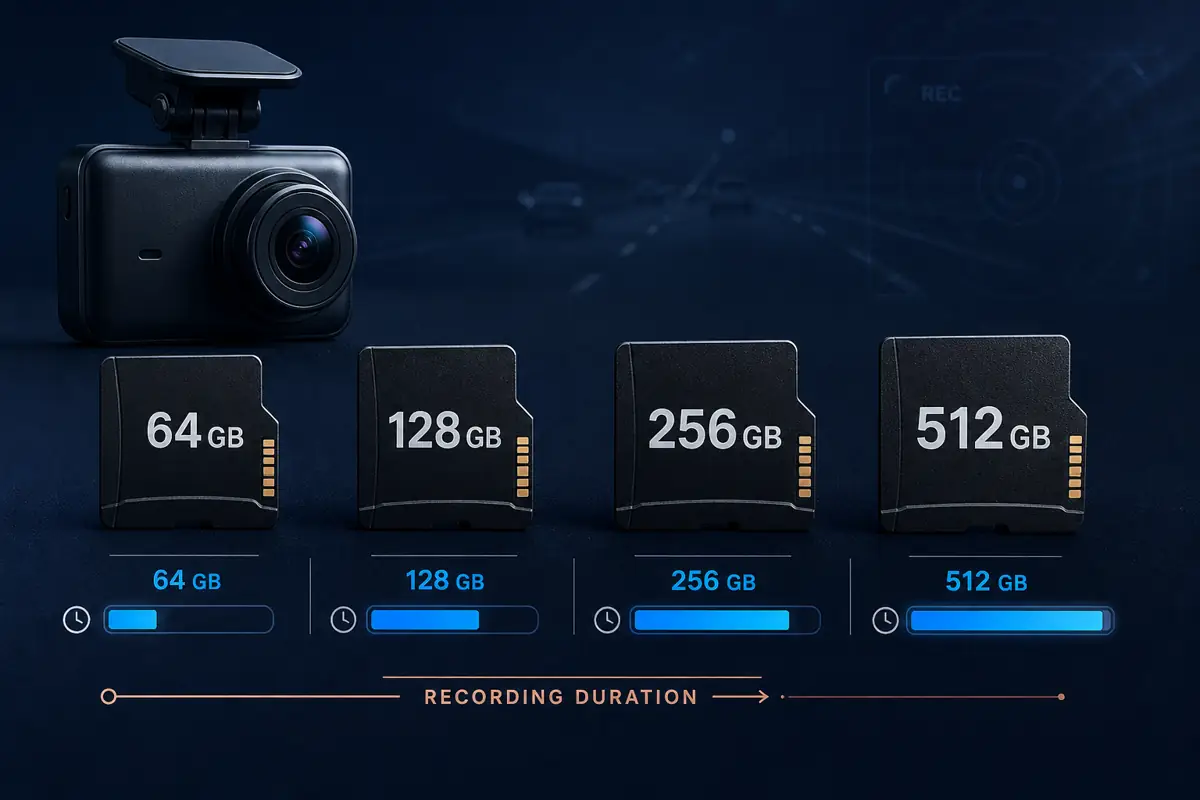
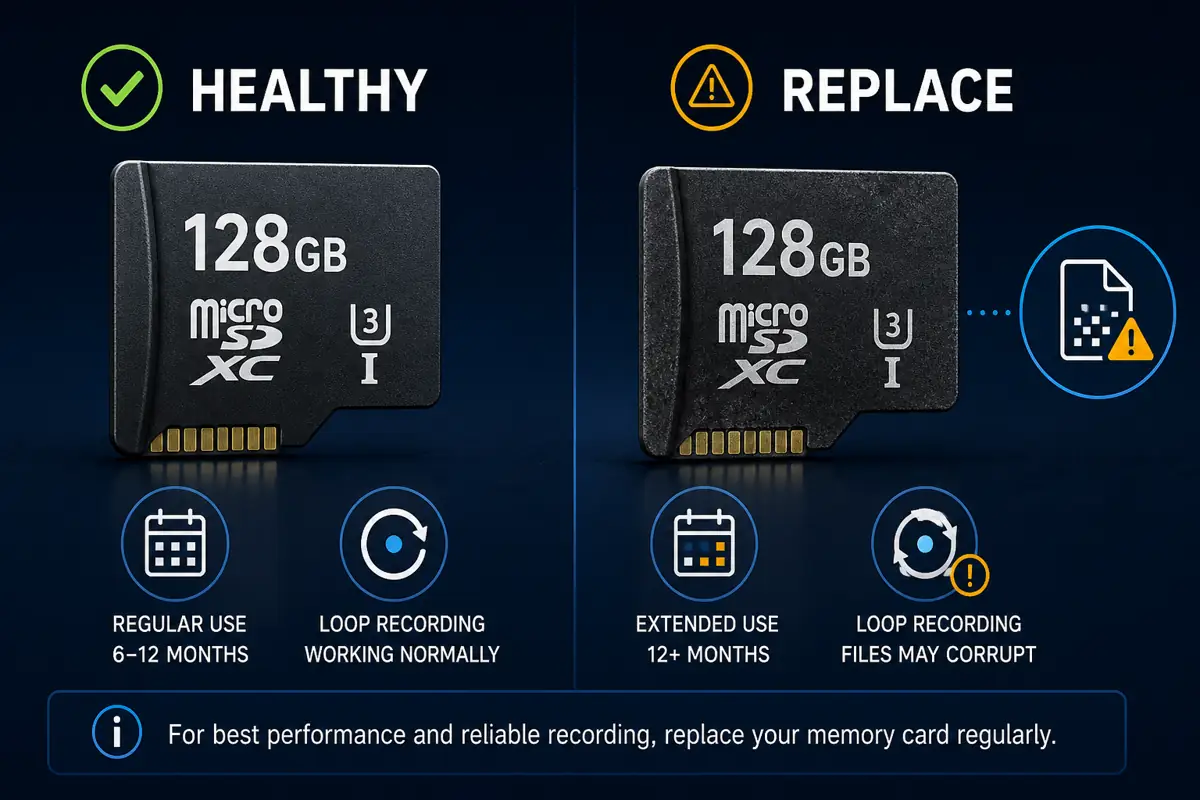
Continuous video places repeated write cycles on a memory card. Use a high-endurance card that the camera manufacturer lists as compatible. VIOFO currently recommends at least 64GB for general dashcam use, with 128GB or 256GB often more practical for longer trips, more channels or commercial driving. Supported capacities vary by camera.
Run a brief playback check regularly. A camera that powers on is not proof that every file is being written correctly. Investigate repeated beeps, memory errors, gaps or corrupted clips before relying on the system.
Learn when to replace a dashcam memory card or compare high-endurance card sizes.
Which copy should I keep, review or send?
| Copy | Purpose | What to do | What not to do |
|---|---|---|---|
| Original microSD card | Preserves the source media | Label, protect and store it; follow lawful police, insurer or attorney instructions | Do not format, reuse or experiment on it |
| Master digital copy | Provides a verified duplicate | Copy the complete files and store them securely | Do not trim, enhance, annotate or overwrite it |
| Backup copy | Protects against device or storage failure | Keep it on separate secure storage | Do not keep the only two copies on the same device |
| Submission copy | Fits an insurer or agency’s accepted delivery method | Create it from a duplicate and label it clearly if altered for size or length | Do not represent a clip as complete if material was removed |
| Social-media copy | Public sharing | Usually wait until claim and legal issues are resolved and advice is obtained where needed | Do not post identifying, graphic or disputed material impulsively |
What should I tell the insurer or police?
Be factual and concise. You can state that dashcam footage exists, that the original has been preserved and that you can provide a copy through an approved method. Ask whether the recipient wants the complete time window, all camera channels, or a specific file format.
Do not delete an inconvenient segment, change the timestamp, add narration to the master or claim that video proves more than it actually shows. A forward camera may not show a rear impact. A cabin camera may capture sound without showing the exterior event. Night glare, lens obstruction and missing context can affect interpretation.
If police investigated the crash, keep the agency name and report number. For crashes handled by the Maryland State Police, an official motor-vehicle crash report can currently be requested after processing; the agency advises waiting at least ten days. A local or county agency may use a different system and timing.
If the incident involves significant injuries, criminal allegations, a disputed commercial loss or threatened litigation, consider obtaining advice from a qualified attorney before making public statements or editing any copy.
Footage is one part of the record.
Crash investigation may also consider scene photographs, vehicle damage, final positions, witness accounts and official records. Preserve the surrounding facts instead of treating one camera angle as the entire case.
Which camera and storage setup is evidence-ready?
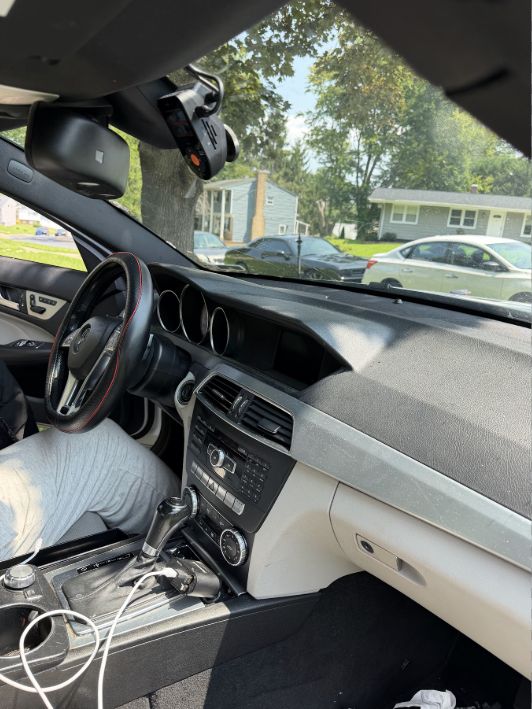
Choose coverage based on the risks you actually need to document. Product support, capacity and hardwire compatibility can change, so confirm the current product page and vehicle requirements before purchase.
| Driver need | Practical starting point | Why it may fit | Product links |
|---|---|---|---|
| Compact front-only coverage | VIOFO VS1 or A119 Mini 2 | Lower visual footprint with focused forward recording | VIOFO VS1 · A119 Mini 2 |
| Front and rear coverage | VIOFO A229 Plus 2CH or A329S 2CH | Adds context for rear impacts, following traffic and events behind the vehicle | A229 Plus 2CH · A329S 2CH |
| Front, rear and cabin coverage | VIOFO A229 Plus 3CH, A229 Pro 3CH or A329S 3CH | Useful for rideshare, family, fleet and cabin-context needs, subject to local recording laws | A229 Plus 3CH · A229 Pro 3CH · A329S 3CH |
| Longer retention or multi-channel recording | 128GB or 256GB VIOFO high-endurance card | More practical retention than a minimum-capacity card for many drivers | 128GB card · 256GB card |
| Parking protection | Compatible hardwire kit or dedicated dashcam battery | Can support parking-mode recording when correctly matched and installed | HK4 hardwire kit · BP100 battery pack |
Need help matching the camera to the vehicle?
Start with Choose Your VIOFO Dash Cam, browse the DashcamCraft Shop, or request professional dashcam installation.
Professional installation cannot guarantee that every event will be recorded, but correct placement, secure connections, clean cable routing and model-compatible parking-power setup can reduce avoidable failures. After installation, learn how to lock a file, connect the app, remove the card safely and confirm that every channel records.
Use the DashcamCraft planning tools
These calculators turn camera specifications and driving habits into practical estimates. Results are planning estimates, not promises of exact runtime or price.
How much card capacity do I need?
Estimate daily storage use and retention: Dash Cam Storage Calculator
How long might parking mode run?
Compare battery capacity, vehicle cutoff and camera draw: Parking Mode Runtime Estimator
What could professional installation cost?
Build a planning estimate by camera count and installation options: Dash Cam Installation Cost Estimator
Where can I see all guides and tools?
Visit DashcamCraft Resources or the DashcamCraft Tools Hub.
Frequently asked questions
The questions below reflect recurring concerns raised by dashcam owners in online communities, including r/Dashcam. Community discussions identify real problems and useful questions, but they are not authoritative legal or insurance instructions. The answers below are grounded in preservation principles and manufacturer or government guidance where available.
Should I tell the other driver that I have dashcam footage?
You do not need to debate the recording at the roadside. Prioritize safety, exchange required information and cooperate with police. Tell your insurer that footage exists and follow official requests or legal advice. Do not use the footage to threaten or pressure anyone.
Should I hand over the original microSD card?
Do not casually give away your only copy. Preserve the original, make verified backups and ask the requesting police agency, insurer or attorney what form they require. If an authorized official lawfully takes the original, document who received it, when and under what report or receipt number.
Should I send a short clip or the complete recording?
Preserve the complete relevant window and all available channels. An insurer’s portal may request a short upload, but keep the untouched master and disclose when a submission copy has been trimmed or compressed. Context before and after the collision can matter.
What if the dashcam continues recording and overwrites the crash?
Lock the event when safe, then remove and preserve the card as soon as practical after powering the camera down correctly. Use a spare compatible card to return the camera to service. Do not assume a locked file is immune from every storage problem.
What if the file is missing or corrupted?
Stop writing to the card. Do not format it and do not run random repair tools against the original. Make a sector-level or full-card working copy if you have appropriate expertise, or consult a reputable data-recovery or digital-forensics professional for a high-value matter. Recovery is never guaranteed.
Is a phone download enough?
A phone copy is better than no copy, but it should not be the only preserved version. Confirm that the full file plays and make another copy on separate secure storage. Keep the original card unchanged.
Does the timestamp matter?
Yes. A correct timestamp and time zone help organize the sequence, but a wrong display time does not necessarily make the video useless. Check camera time, time zone and GPS synchronization during routine maintenance, and document any known offset honestly.
Can my own footage be used against me?
Potentially. A recording may capture speed, lane movement, distraction, audio or other context that does not favor the camera owner. Never alter or destroy relevant evidence. For serious injuries, criminal exposure or litigation, seek advice from a qualified attorney.
Should I post the crash video online?
Usually not while the claim, investigation or legal dispute is active. Public posting can expose personal information, invite harassment, complicate communications and spread an incomplete account. Preserve and share through appropriate channels first.
How often should I check the dashcam and memory card?
Perform a short visual and playback check regularly and before an important trip. Confirm the lens is clean, all channels record, timestamps are reasonable and recent files play. Follow the camera and card manufacturer’s formatting, firmware and replacement guidance. Investigate warning beeps or recording gaps promptly.
Build an evidence-ready dashcam setup
The best emergency evidence workflow begins before the emergency. Choose coverage that fits your vehicle, install it correctly, use a compatible high-endurance card, keep a tested spare and practice locating and protecting a file once—before stress is involved.
Next steps:
- Choose a VIOFO dashcam
- Shop the 128GB high-endurance card or 256GB option
- Estimate installation cost
- Book professional dashcam installation
- Review Maryland dashcam laws and installation guidance
DashcamCraft serves drivers and fleets from Reisterstown, Maryland, with scheduled service across Maryland, Washington, D.C., Northern Virginia and New Jersey. Questions? Call +1 443-201-1259 or email bookiings@dashcamcraft.com.
Sources
- VIOFO Support, How to Lock Videos
- VIOFO Support, What Memory Card Is Recommended?
- VIOFO Support, Recording Time by Card Capacity
- VIOFO Support, How to Set and Update Dashcam Time
- National Highway Traffic Safety Administration, Special Crash Investigations
- Maryland State Police, Request Police Reports
- Community-question research: Reddit informed the questions, not the legal or technical conclusions.