
DashcamCraft Practical Guide
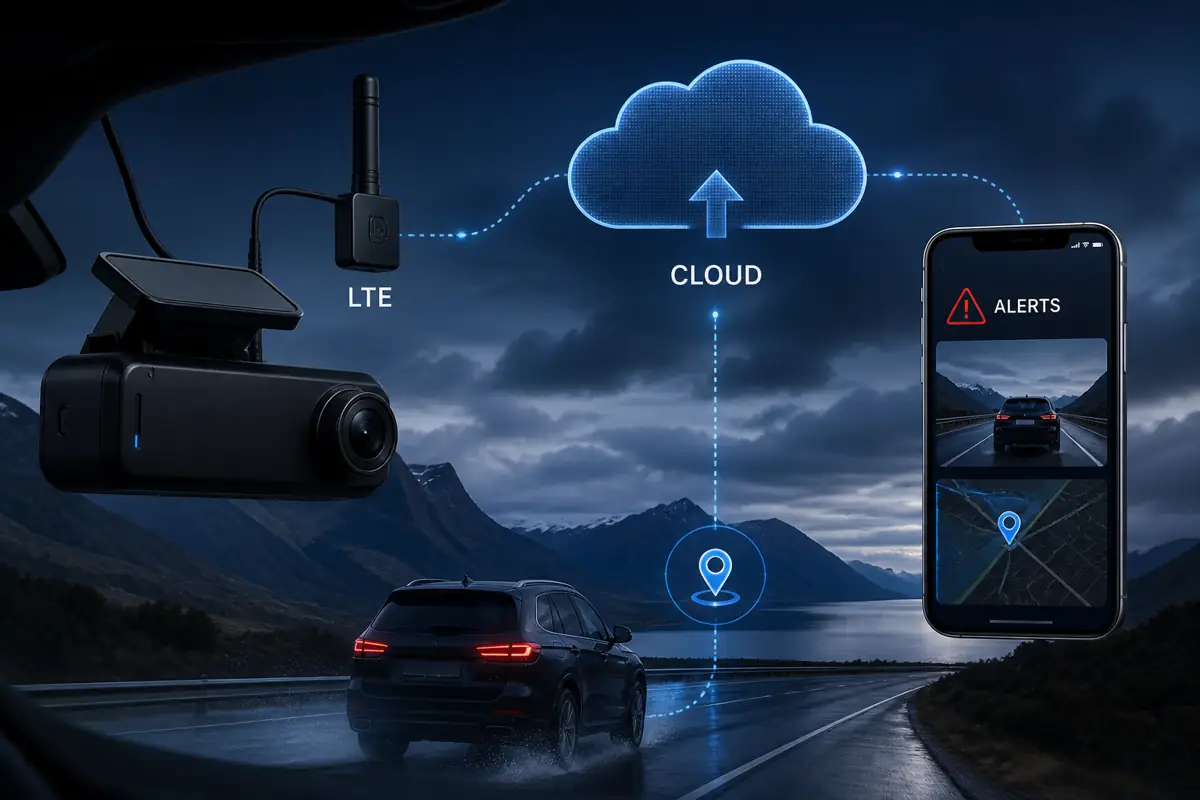
Cloud and LTE dash cams can provide remote alerts, live views, GPS location, event uploads and fleet oversight. They usually require compatible hardware, reliable cellular coverage, a data plan and sometimes a cloud subscription.
Quick answer
Cloud and LTE dash cams can provide remote alerts, live views, GPS location, event uploads and fleet oversight. They usually require compatible hardware, reliable cellular coverage, a data plan and sometimes a cloud subscription.
What cloud connectivity adds
Depending on the system: impact alerts, remote live view, event backup, vehicle location, geofencing, driver communication and multi-vehicle management.
Costs to plan for
Budget for the camera, LTE module or built-in modem, SIM or data service, cloud subscription, installation, storage tier and possible roaming.
What connectivity cannot guarantee
Uploads depend on signal, power, plan limits and server availability. The memory card remains important because not every minute is uploaded.
Best use cases
Fleet vehicles, high-value vehicles, remote monitoring and drivers who want rapid incident notification gain the most value.
Related DashcamCraft resources
Explore our dash cam resources, professional installation service, calculators and tools, and real installation gallery.
Wi-Fi, GPS, Bluetooth and LTE do different jobs
A camera can have Wi-Fi, GPS and Bluetooth and still have no remote internet connection. The useful buying question is: can you retrieve footage when you and your phone are away from the vehicle? A specification saying “app control” does not answer it.
| Feature | What it usually does | What it does not establish |
|---|---|---|
| Camera Wi-Fi | Connects a nearby phone for settings, preview or downloads | Internet access from another location |
| GPS receiver | Adds location, time or speed to recordings | Live vehicle tracking on a fleet dashboard |
| Bluetooth | Supports local accessories, pairing or battery status | Remote video streaming |
| LTE or another internet connection | Provides a path from vehicle to online services | Every cloud feature, unlimited uploads or permanent connectivity |
| Cloud service | Provides supported remote features under a service plan | Continuous backup of all camera footage |
What this means for the new VIOFO range
The supplied T330, T340 and A149 Pro Duo materials describe Wi-Fi 6 app access, GPS recording and local Bluetooth features. Those specifications should not be read as proof of remote fleet access. Wi-Fi 6 describes a wireless connection standard; it is not a cellular subscription. Likewise, BP60 Bluetooth battery information is not a promise that you can inspect the battery from another city.
For local download and recording priorities, compare the VIOFO camera configurations. If your requirement is remote live view or a multi-vehicle dashboard, request explicit confirmation of supported hardware and service before choosing a system.
Build the remote-access requirement before choosing hardware
Write down the event you need to respond to. “Get an alert when a parked vehicle is struck” differs from “watch every driver live” or “retrieve a clip from yesterday without contacting the driver.” For each requirement, confirm whether the system supports it, under what conditions, and whether the feature uses local storage or uploaded footage.
Ask which camera channels appear remotely, whether sound is supported, the upload resolution, event length, pre-event coverage and delay. A preview thumbnail is not the same deliverable as the original front and rear files. A device that tracks a vehicle while driving may stop reporting when parked if its power strategy shuts it down.
Plan the total recurring cost
Compare the hardware and installation separately from cellular data, cloud storage, account licenses and add-on features. Check retention periods, fair-use limits, live-view minutes, roaming and what happens when a plan expires. Do not assume that a camera purchase includes lifetime cellular service.
For a small fleet, calculate the expected monthly cost per active vehicle and the cost of retaining a particular incident. Ask whether you can export originals without a paid tier, transfer ownership when a vehicle is sold and remove access when a driver or employee leaves. Confirm supported countries and carriers for the exact hardware.
Test the system away from the vehicle
- Finish setup and confirm local recording with the vehicle stationary.
- Move the viewing phone away from the camera’s Wi-Fi range and use an independent internet connection.
- Check the promised remote feature: status, live view or a controlled event notification. Record the delay and available camera views.
- Repeat the check in the intended parked state after normal vehicle sleep behavior.
- Inspect local files and uploaded files separately. Confirm which recording survives if connectivity is temporarily unavailable.
- Test account access, an actual download and the ability to play the exported file outside the camera app.
These are acceptance checks to request, not results from a DashcamCraft fleet trial. Coverage, building structure, underground parking, power and service availability can affect the outcome.
Power and storage remain part of the design
Remote hardware consumes power as well as data. A parking plan should include the camera and any modem or hotspot, rather than estimating from the camera alone. Use the parking-power comparison and check the installer’s complete-system estimate. Cloud upload also does not remove the need to maintain the memory card.
Remote dash cam questions
Can I watch a Wi-Fi dash cam from home?
Only if the exact system provides an internet-backed remote feature. A direct phone-to-camera Wi-Fi connection on its own works locally.
Does built-in GPS mean live tracking?
No. A GPS receiver can record coordinates without transmitting them to anyone.
Is all video automatically backed up?
Not necessarily. Many services upload selected events subject to limits. Confirm the channels, duration, quality and retention of uploaded files.
What should a fleet request in a quote?
List vehicle count, operating areas, required remote features, parked hours, user access needs and retention requirements. Ask for hardware and ongoing costs separately.